Keyword Clustering: How to Group Keywords for Better SEO
Learn how keyword clustering turns an unorganized keyword list into focused content groups, supporting pages, and a practical SEO content plan.
Keyword Clustering: How to Group Keywords for Better SEO
Keyword research often produces hundreds or even thousands of search terms. The difficult part is not finding keywords—it is deciding which keywords belong together and which ones need separate pages.
This is where keyword clustering becomes useful.
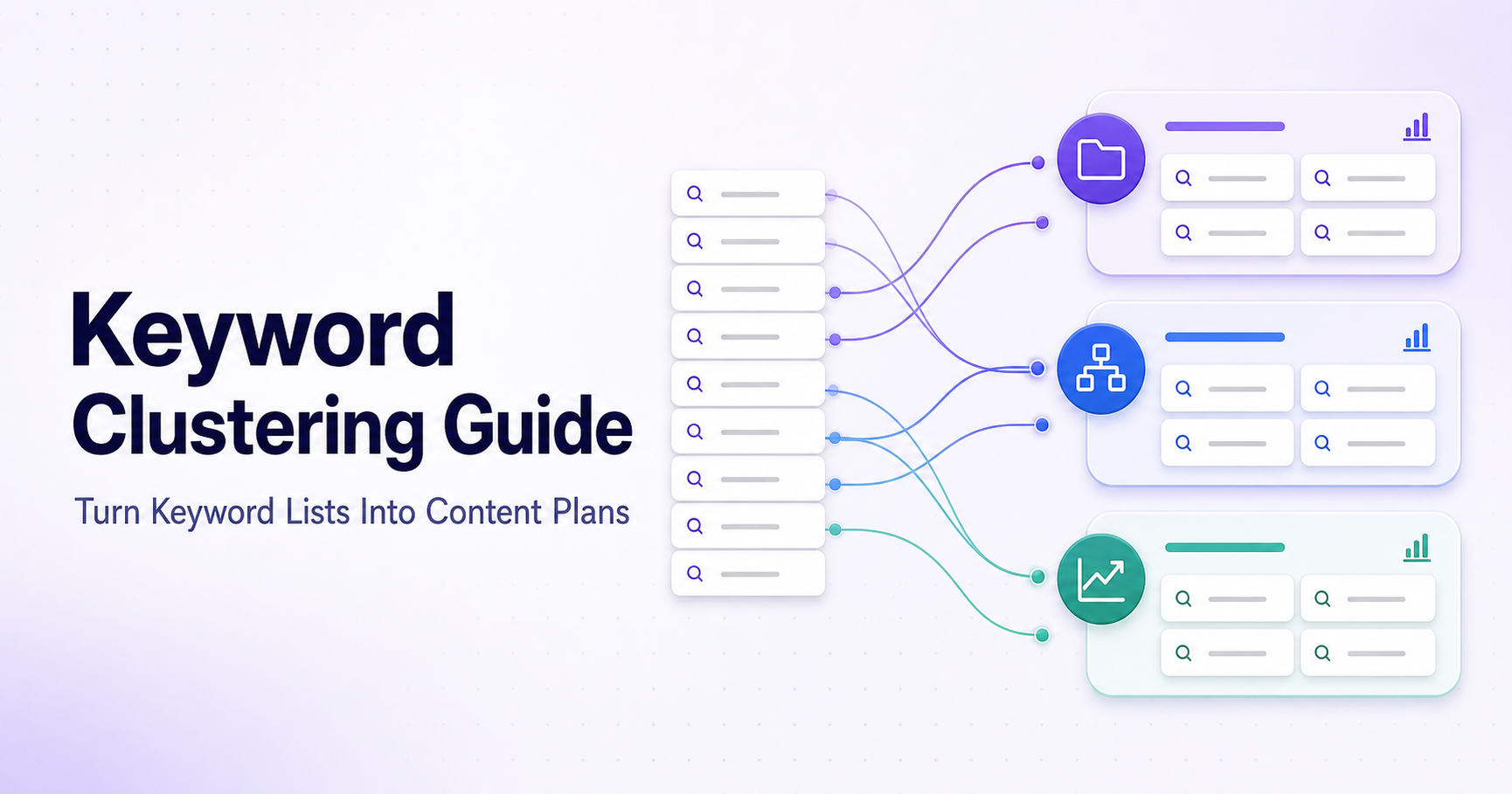
Keyword clustering is the process of organizing related search terms into focused groups. Each group represents one topic, search intent, or potential page. Instead of creating a separate article for every slightly different keyword, you can build one strong page that covers a complete topic.
In this guide, you will learn how keyword clustering works, why it matters, and how to turn a large keyword list into a practical content plan.
What is keyword clustering?
Keyword clustering means grouping keywords that describe the same subject or satisfy a similar search intent.
Consider this list:
free keyword clustering tool
keyword grouping tool
group SEO keywords
keyword cluster generator
how to cluster keywords
keyword clustering guide
keyword research tool
These phrases are related, but they do not all serve exactly the same purpose.
The first four suggest that the user wants an online tool. The next two indicate that the user wants to learn about the process. The final keyword is broader and may require a separate page about keyword research.
A useful initial structure would be:
Tool cluster
free keyword clustering tool
keyword grouping tool
group SEO keywords
keyword cluster generator
Educational cluster
how to cluster keywords
keyword clustering guide
Keyword research cluster
keyword research tool
This organization helps you decide what content to create and prevents multiple pages from competing for the same search intent.
Why is keyword clustering important?
Keyword clustering provides several practical SEO benefits.
1. It creates a clearer content plan
A raw keyword list does not tell you which pages to create. Clusters convert that list into organized topics.
Each strong cluster can become:
A landing page
A blog article
A product or service page
A section inside a larger guide
A supporting article for a pillar page
2. It helps prevent keyword cannibalization
Keyword cannibalization can occur when multiple pages on the same website target almost identical queries.
For example, publishing separate articles for “keyword grouping tool” and “keyword clustering tool” may be unnecessary if both searches have the same intent. The pages could compete with each other instead of supporting one clear primary page.
You can use the Keyword Cannibalization Checker to review overlapping keyword targets.
3. It produces more complete content
A cluster reveals the related questions and variations that users associate with a topic.
A page about keyword clustering may naturally need to explain:
What keyword clustering means
How keywords are grouped
Search intent
Topic clusters
Keyword cannibalization
Primary and supporting keywords
Covering these related needs can make the page more useful without repeatedly forcing the same keyword into the text.
4. It improves internal linking
Clusters show which pages belong to the same topic.
A keyword research guide might link to:
A keyword suggestion tool
A keyword clustering tool
A keyword density checker
A cannibalization checker
An SEO title checker
These relevant internal links help visitors continue their work and make the relationship between pages easier to understand.
How to create keyword clusters
Step 1: Collect your keywords
Start with keywords related to one business, product, service, or content area.
You can collect ideas from:
Your existing Search Console queries
Customer questions
Product or service terminology
Competitor topic research
Google autocomplete
Avoid mixing completely unrelated subjects into the same list. A focused input produces more useful groups.
Step 2: Remove duplicates
Keyword lists often contain duplicates, capitalization differences, or unnecessary variations.
For example:
Keyword Clustering Tool
keyword clustering tool
keyword clustering tool
These should normally be treated as one keyword.
Cleaning the list before grouping makes the final results easier to understand.
Step 3: Identify the main topic
Choose the broad subject represented by the list.
For example, a group containing “compress PDF,” “reduce PDF size,” and “PDF compressor online” belongs to the broader topic of PDF compression.
The main topic can become the page’s primary focus. Related terms can support that focus in headings, explanations, examples, and FAQs.
Step 4: Compare search intent
Similar words do not always mean identical intent.
Compare:
What is keyword clustering?
Free keyword clustering tool
Keyword clustering service
Best keyword clustering software
The first query is informational. The second wants a free tool. The third may indicate a commercial service. The fourth suggests product comparison.
These queries are closely related but may not all belong on the same page.
Common intent types include:
Informational: The user wants to learn.
Navigational: The user wants a particular website or brand.
Commercial: The user is comparing available solutions.
Transactional: The user wants to use, buy, download, or register for something.
Step 5: Create useful groups
Use the SmartToolsNest Keyword Clustering Tool to organize related keywords.
Paste one keyword per line, process the list, and review the resulting clusters.
Automated grouping should be treated as a starting point—not an unquestionable final decision. Review every group and move keywords when their intent does not match.
Step 6: Assign one target page to each cluster
After reviewing the groups, decide what each cluster needs.
Cluster | Recommended page |
|---|---|
Free keyword clustering tool | Online tool page |
How to cluster keywords | Educational guide |
Keyword clustering software | Comparison article |
Keyword clustering service | Service page |
This page assignment becomes the foundation of your content plan.
When should keywords share one page?
Keywords can usually share a page when:
They describe the same core topic
They have the same search intent
One answer would satisfy users searching each variation
Creating separate pages would result in repetitive content
For example, “robots.txt generator,” “robots txt creator,” and “create robots file” can reasonably lead to the same tool.
When do keywords need separate pages?
Consider separate pages when:
The search intent is different
One keyword needs a tool and another needs a guide
The target audience is different
The topic requires substantially different information
The products or services are genuinely distinct
Do not create separate pages only because the wording is slightly different.
Common keyword clustering mistakes
Grouping keywords only by shared words
Two keywords can contain the same word while serving different purposes. Always review intent, not just word similarity.
Creating too many small clusters
A separate page for every long-tail variation can produce thin and repetitive content. Combine variations when one comprehensive page can answer them properly.
Combining unrelated intent
A free tool, a professional service, and a beginner’s guide may belong to the same topic but not necessarily the same page.
Ignoring existing pages
Before assigning a new page, check whether an existing page already targets the cluster. Updating an existing page may be better than creating another competing URL.
Repeating keywords unnaturally
Keyword clustering is a planning technique, not permission to insert every variation into every paragraph.
Write naturally and prioritize a clear answer. Google recommends content created primarily for people rather than pages produced mainly to manipulate rankings. See Google’s people-first content guidance.
A practical keyword clustering workflow
A simple repeatable process is:
Collect relevant keyword ideas.
Remove duplicates and irrelevant phrases.
Group related keywords.
Review the intent of every group.
Select one primary keyword per cluster.
Assign the cluster to an existing or new page.
Create genuinely useful content.
Link related pages together.
Monitor queries and pages in Search Console.
Update clusters when search behavior changes.
The purpose is not to create the maximum number of pages. The goal is to create the smallest useful collection of pages that fully satisfies the relevant searches.
Final thoughts
Keyword clustering turns scattered keyword research into an actionable website structure.
A good cluster tells you:
Which keywords belong together
Which search intent they represent
Whether you need a tool, guide, or landing page
Which page should be the primary target
Where internal links should be added
Where keyword cannibalization may occur
Start with a focused list, use automated grouping to save time, and then apply human judgment before creating content.
Ready to organize your keyword research? Try the free Keyword Clustering Tool, then review your pages with the Keyword Cannibalization Checker.
Frequently Asked Questions
What is a keyword cluster?
A keyword cluster is a group of related search terms that share a common topic or similar search intent. The group can usually be targeted by one useful page.
Is keyword clustering the same as keyword research?
No. Keyword research discovers possible search terms. Keyword clustering organizes those terms into topics and potential pages.
How many keywords should a cluster contain?
There is no required number. A cluster should contain only the keywords that can be satisfied naturally by the same page.
Can two similar keywords require separate pages?
Yes. Similar wording can still represent different intent. For example, someone looking for a free tool may expect a different page from someone searching for a professional service.
Does keyword clustering guarantee higher rankings?
No SEO technique guarantees rankings. Clustering improves content organization and targeting, but quality, usefulness, competition, authority, and technical accessibility also matter.